To properly display this page you need a browser with JavaScript support.
Inocrypt Infosoft Edu Firm
School & College Information Management System
×
Menu
Index
Search
Search
Search
3. Accounting
3.1. Fee Collection
3.1.2. Add Fees
Previous page
Next page
(c) Business With Technology, 2018
To properly display this page you need a browser with JavaScript support.
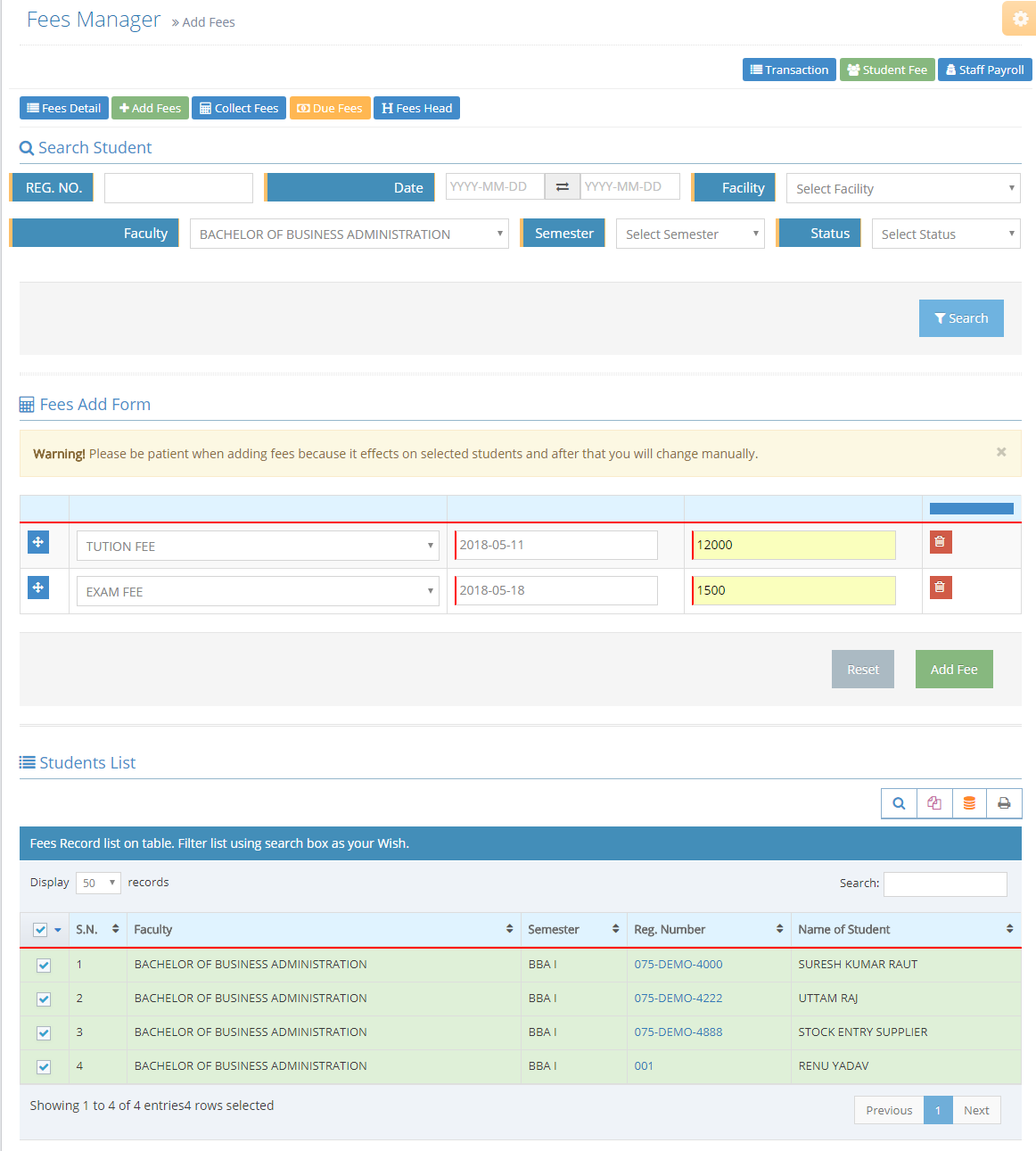
3.1.2. Add Fees
Search your target students from search student seciton
check student from filtered students list table
click insert rows on fees add form section
select Fees Head , input Due date & Amount
Help:
if you want to add more fees at a time repeate step No. 3 & 4.
Click on Add Fee button to add fees on target student Due ledger.
Warning:
Carefully add fees it effect all the target students & after that you can edit & Remove individually all the student detail ledger.
Inocrypt Infosoft EduFirm