-
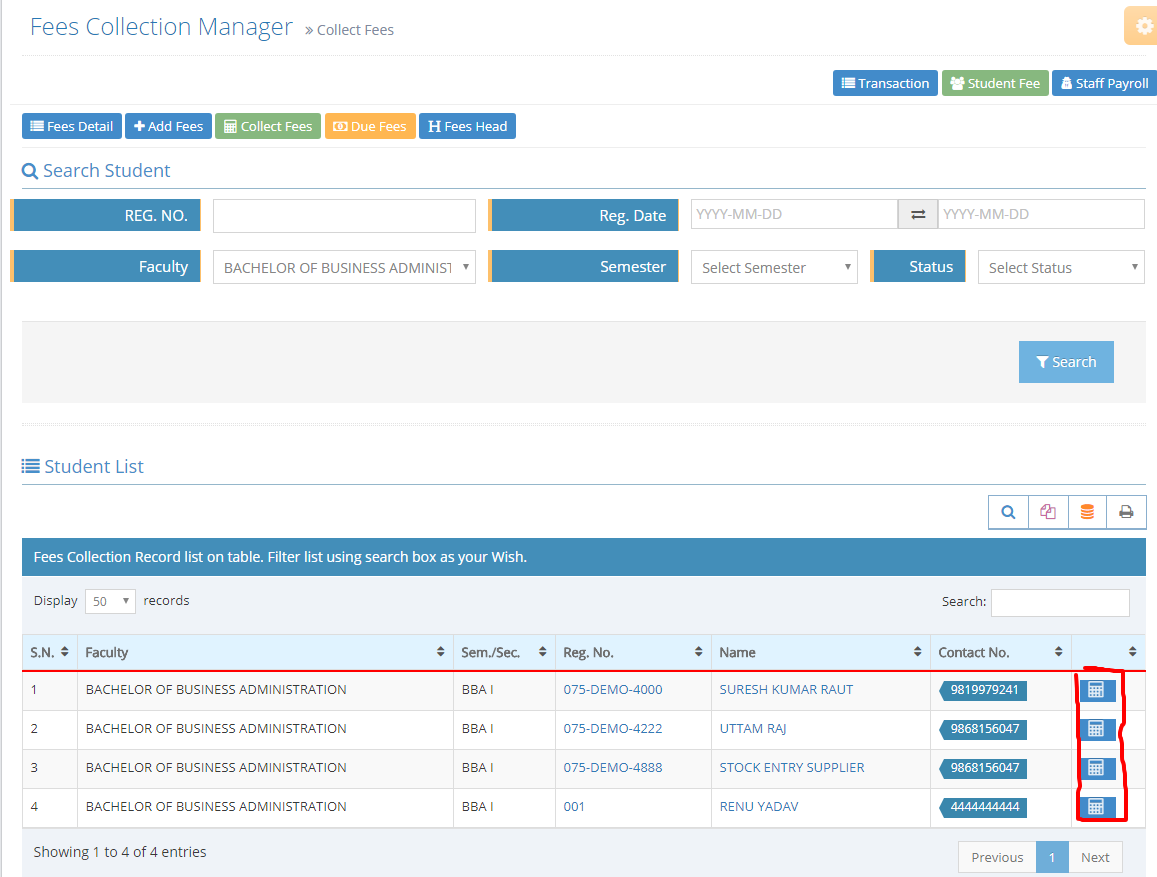
Search your target student
-
click on collect button at the last of student's record
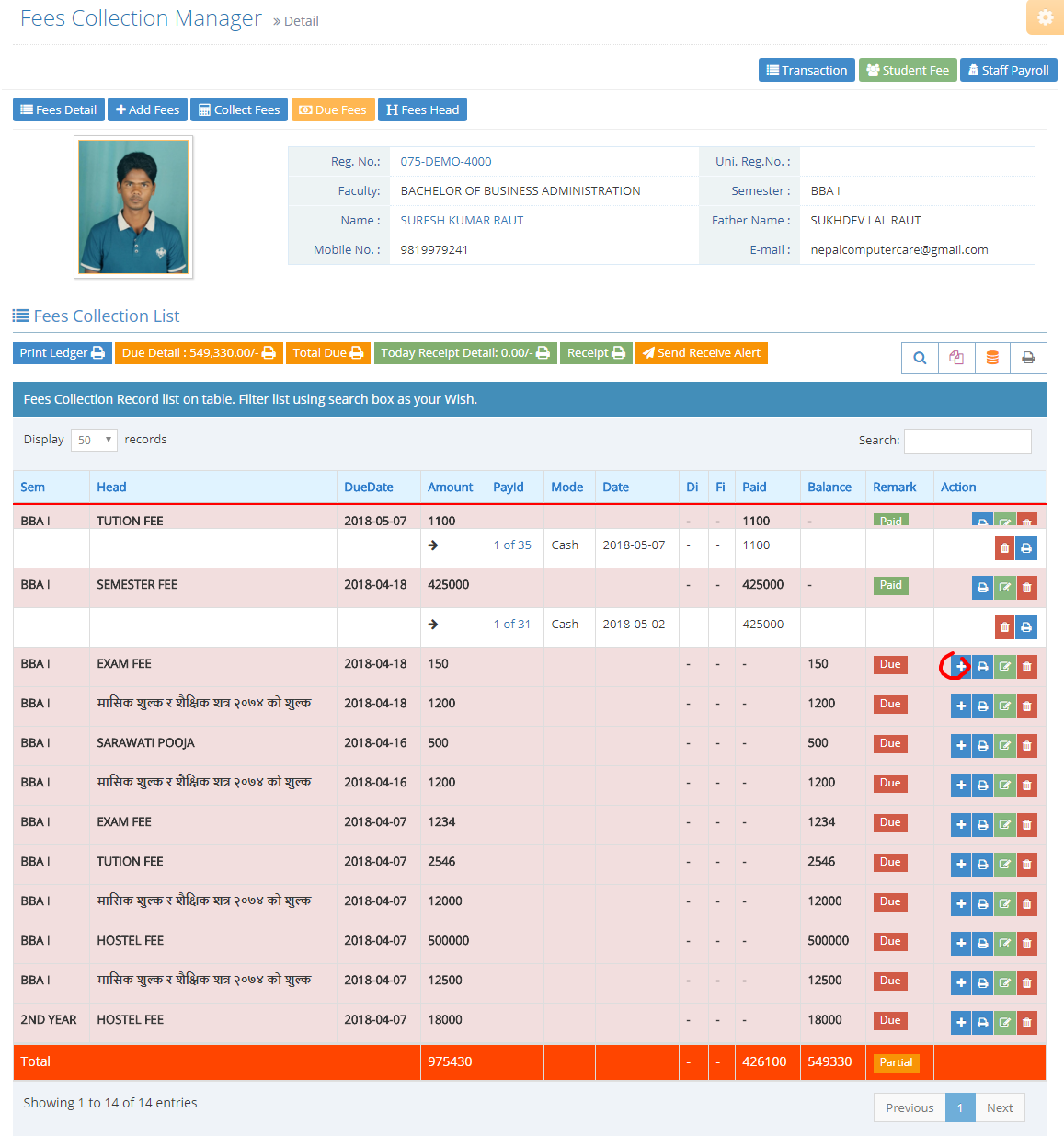
Info: Here you can view particular student detail ledger
3. Student Ledger Open
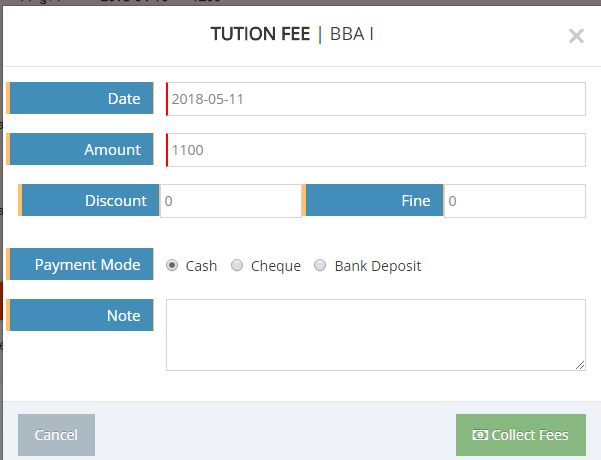
4. Click on + button on action section which fee heads fees pay now(Collection Model dialog box wil appear)
5. input date receive amount, discount, fine, payment mode, description
6. Click on collect Fees Button
Inocrypt Infosoft EduFirm